Seamwise Size Chart & Guide
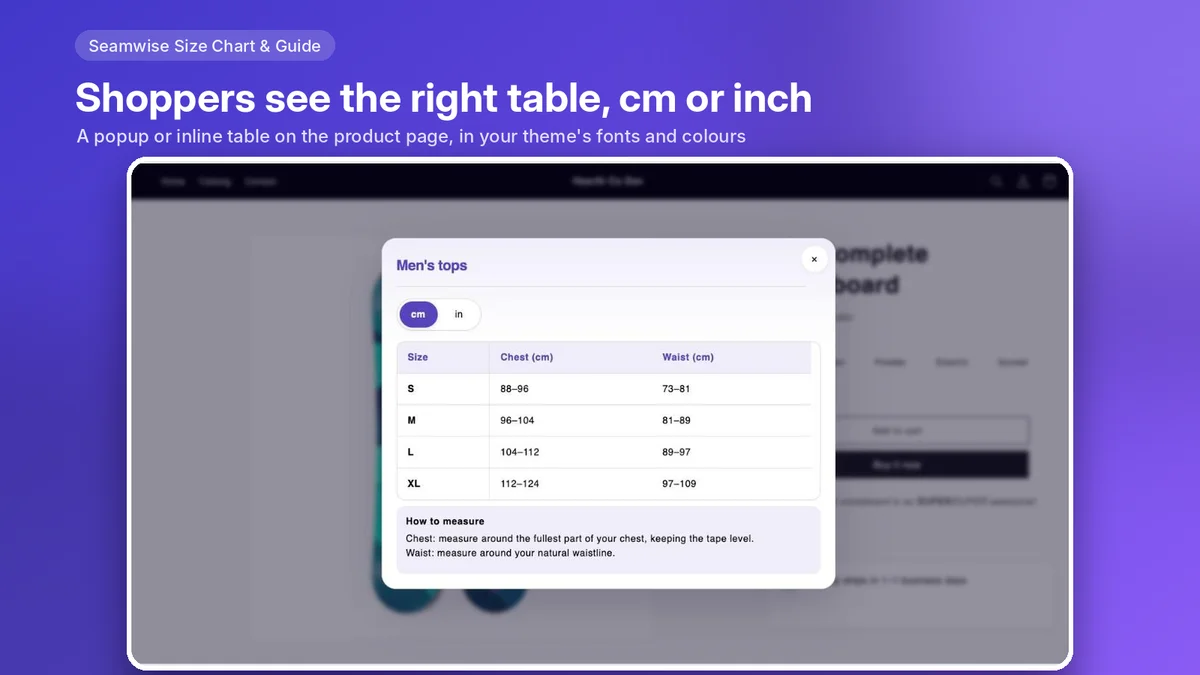
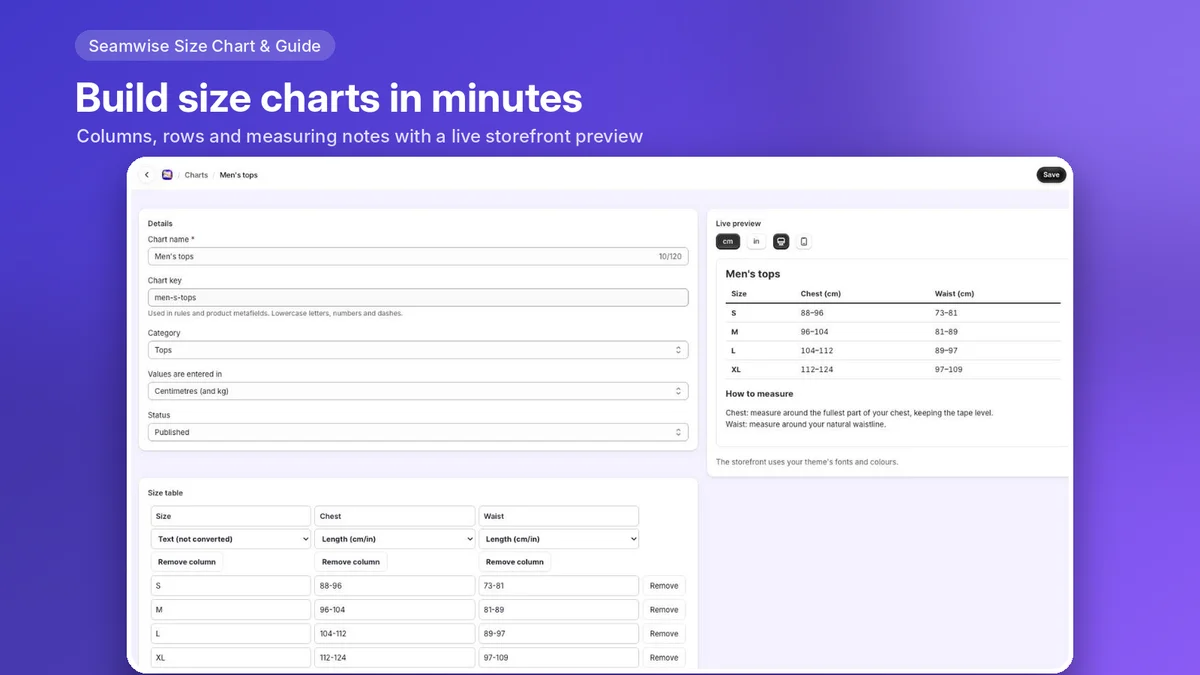
The right size chart on every Shopify product. Build a chart once, set a rule, and Seamwise shows it next to the size picker on every matching product, including new arrivals.

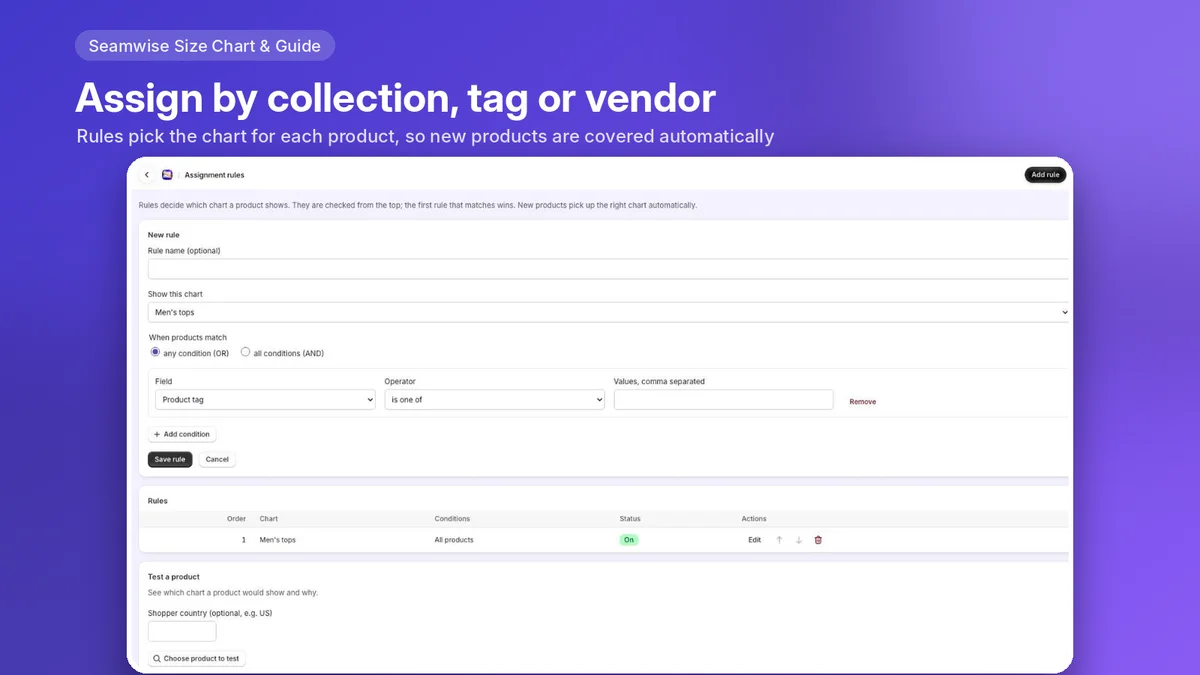
Rules that cover new arrivals
Show a chart by collection, tag, product type or vendor, in priority order. New products that match get the chart without any extra step, and “Test a product” shows which chart a product gets and why.
Fast and clean
Charts are written into your theme when you publish, so there is no app call on page load, no layout shift and no watermark. If no rule matches a product, nothing shows.
A private Find my size
Shoppers type their measurements and Seamwise points to the matching size in your chart. The measurements stay in the shopper’s browser and are never sent anywhere.
What it does
- 21 templates, from tops and dresses to shoes, rings and pet harnesses
- 11 built-in measuring diagrams
- Several tables per chart as tabs, such as Short, Regular and Long
- cm/inch switch for shoppers
- Fit scale and a “model wears” line
- Popup button, inline table, floating side tab or a full size guide page
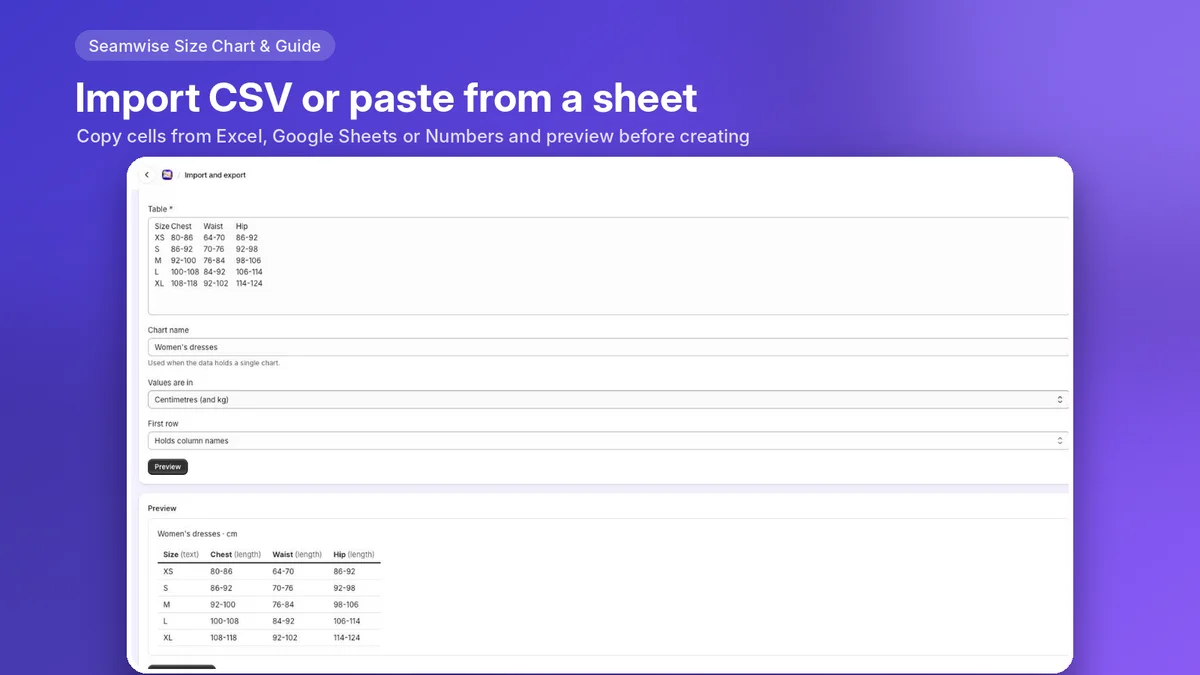
- Paste from Excel or Google Sheets, import a CSV or an old description table
- Chart translations for the languages your store sells in
- Scheduled charts with start and end dates
- No theme code to edit
Pricing
Free
Up to 5 published size charts, every placement, rules by collection, tag, type or vendor, one extra storefront language and no app branding.
Pro: $4.99/month or $49/year
Unlimited published charts, rules that match all conditions, metafield and shopper-country rules, and chart translations for every language. 7-day free trial. A flat price, never based on your orders.
Questions
- Does it slow my store down?
- No app request runs when a product page loads. The chart’s HTML is already in the page, the main script is about 2.6 KB gzipped, and the Find my size helper loads only when a shopper opens it.
- Do I need to edit theme code?
- No. Add the Size chart block in the theme editor next to the variant picker. Vintage themes can use the floating tab app embed.
- What data does it store?
- Only your chart settings. Seamwise stores no customer, order or shopper data. Optional anonymous chart statistics are off by default.
- Who makes it?
- Seamwise is built and supported by Approtic Solutions Private Limited, Hyderabad, India.